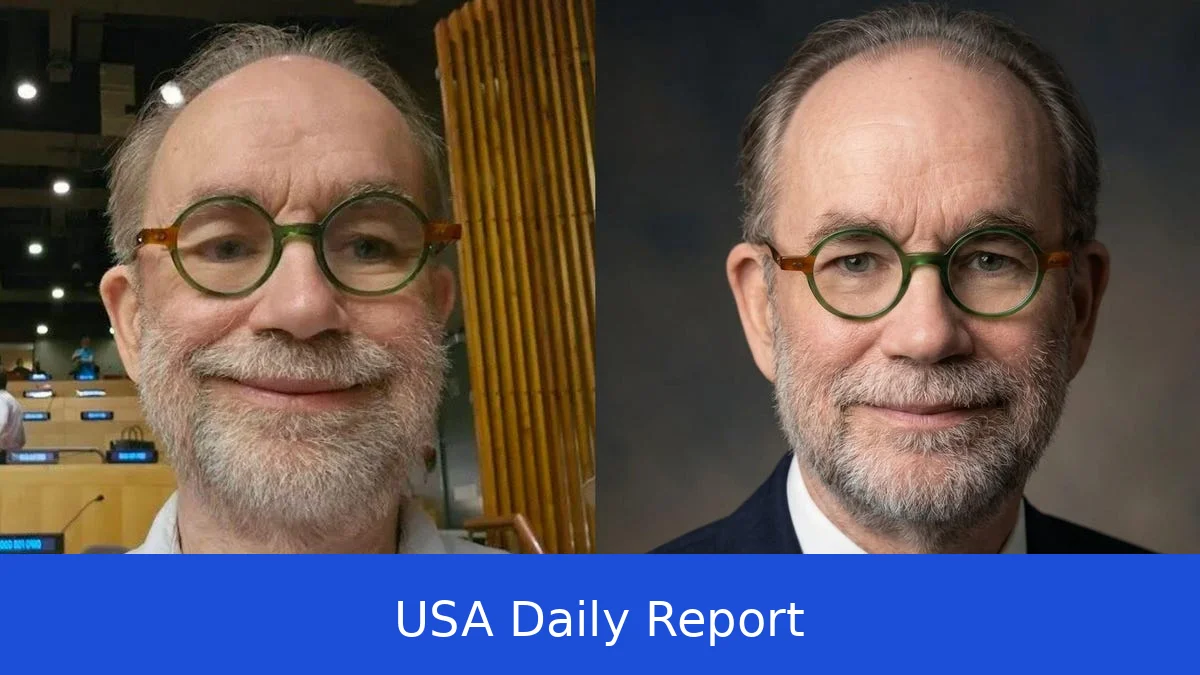
Want to create amazing AI images in 2026? We've put together a list of the best free and paid AI image generators you can try right now. These tools help you quickly create everything from photorealistic portraits to surreal art and graphic designs.
Quick Comparison of Top AI Image Generators in 2026
- Midjourney: Known for exceptional image quality, Midjourney costs $10 per month for the basic plan. It operates through Discord, making it a unique community-driven platform. You can generate photorealistic images or artistic interpretations with ease. Its style ranges from hyper-realistic to painterly and abstract, great for creative professionals and hobbyists.
- DALL-E 3 (via ChatGPT): DALL-E 3 integrates seamlessly with ChatGPT, offering both free and paid tiers. The paid plan costs $20 per month with enhanced image resolution and more credits. DALL-E 3 is excellent for creating images that incorporate text within them, perfect for memes, infographics, and promotional content.
- Stable Diffusion: This open-source AI image generator stands out for customization. You can download it and run it locally on your machine for free, avoiding any usage limits or subscription fees. Advanced users appreciate the ability to tweak parameters and models, producing unique image styles. It requires some technical know-how but offers unmatched flexibility.
- Adobe Firefly: Adobe Firefly focuses on commercial use, with all training data licensed for safe business applications. It offers a subscription at $20.99 per month for Adobe Creative Cloud or standalone use for $14.99 monthly. Firefly generates high-quality images suitable for advertising, branding, and product design while respecting copyright laws.
- Leonardo AI: Leonardo AI provides a free tier with 150 image credits daily, making it accessible for casual users. It supports a variety of styles, from photorealistic portraits to fantasy art. The platform also includes collaborative features, letting teams brainstorm and create images together in real time.
- Ideogram: Ideal for creating text-in-images, Ideogram is user-friendly and perfect for social media content creators. It offers a free plan with limited daily credits and paid plans starting at $9.99 per month. The tool emphasizes clean, readable text integrated smoothly into images.
- Flux: Flux is known for creative image generation with a mix of free and paid options. It allows users to create concept art, storyboards, and abstract designs. Its subscription starts at $8 per month, and it offers unlimited image generations on higher tiers, making it suitable for artists and designers.
- Microsoft Designer: Microsoft Designer offers unlimited free use and is integrated with Microsoft 365. It produces photorealistic images with simple prompts and is great for business presentations, social media posts, and marketing materials. Its user interface is clean and easy to navigate, perfect for beginners.
- Google ImageFX: Free with a Google account, ImageFX provides solid image quality with AI-generated enhancements. It’s accessible via the Google Photos app or web, allowing casual users to create images quickly without complex setups. It’s a good choice for everyday creative projects.
- Canva AI: Popular for marketing and presentation images, Canva AI combines design templates with AI-generated images. This offers both free and paid plans, with paid subscriptions starting at $12.99 per month. Canva AI is ideal for small businesses and social media managers looking to streamline content creation.
What Is an AI Image Generator?
An AI image generator is a tool that uses artificial intelligence to turn text descriptions into images. You simply type what you want to see — for example, “a sunset over a mountain lake” — and the AI creates a picture that matches your prompt. These images can be anything from realistic photos to fantasy scenes or graphic designs.
These tools use machine learning models trained on millions of images to understand how to turn words into visuals. Many employ advanced techniques like diffusion models or transformer networks, which help produce detailed and coherent images.
By 2026, AI image generators are easier to use and more affordable than ever. They’re perfect for social media posts, blog images, marketing materials, or just fun personal art projects. You don’t need design skills—just your imagination and a few words to get started.
How to Get Started with AI Image Generators
Step 1: Pick your tool. Decide if you want a free option or a paid subscription. Consider what style you want — photorealistic, artistic, cartoonish, or something else. Also, check if you need images for commercial use, which requires licensed or royalty-free output.
Step 2: Sign up. Most AI image generators let you create a free account with limited daily image credits. For example, Leonardo AI offers 150 free credits each day, while Microsoft Designer lets you create unlimited images for free once you have a Microsoft account.
Step 3: Write your prompt. Be specific to get the best results. Include details about style, lighting, mood, colors, and composition. For example, instead of “dog,” try “a photorealistic golden retriever puppy playing in a sunny park.” Adding style descriptions like “oil painting,” “vaporwave,” or “cinematic lighting” helps the AI understand your vision.
Step 4: Generate your image. Submit your prompt and wait a few seconds.
Most tools give you a preview and let you tweak your prompt or ask for different versions. Some platforms like Midjourney allow you to upscale images or create multiple versions.
Step 5: Download and use your image. Check the licensing terms. Free tools may restrict commercial use, while paid options like Adobe Firefly provide images safe for business projects. Always credit the AI tool if required.
Step-by-Step Usage Example: Creating a Portrait with Midjourney
1. Join the Midjourney Discord server. You’ll need a Discord account.
2. Subscribe to the $10/month basic plan to unlock full features.
3. Type your prompt in the Discord chat, for example: “a photorealistic portrait of a smiling woman in natural light, high resolution.”
4. Wait about 30 seconds as Midjourney generates four image options.
5. Use the buttons below the images to upscale your favorite or create variations.
6. Download the final image directly from Discord.
Tips and Tricks for Better AI Image Results
- Be descriptive but concise. Too long prompts can confuse the AI.
- Use style and mood keywords like “cinematic,” “vintage,” “digital art,” or “watercolor.”
- Experiment with lighting descriptions: “soft morning light,” “dramatic shadows,” or “neon glow.”
- Try different tools for different results — some excel at realistic images, others at fantasy or abstract art.
- Use free credits wisely. Start with simple prompts to learn how each AI interprets them.
- Check the image resolution options. Higher resolution images may cost more credits or require a paid plan.
- Respect copyright rules if you use images commercially. Prefer tools with licensed training data like Adobe Firefly.
Best Free AI Image Generators to Try in 2026
Microsoft Designer: Unlimited free image generation with easy prompts, integrated with Microsoft 365 apps. Great for business and casual users.
Leonardo AI: 150 free credits daily, good for versatile styles and collaborative projects.
Google ImageFX: Free for anyone with a Google account, simple interface, decent quality.
Stable Diffusion: Open source and free to run locally. Requires setup but no subscription fees.
Canva AI: Free tier includes AI image generation plus design templates, perfect for marketing and social media content.
These free tools let you explore AI image creation without any upfront cost. They’re great starting points before moving to paid plans for higher quality and more features.
AI image generators in 2026 come in many forms — from free, unlimited tools like Microsoft Designer to subscription-based services like Midjourney and Adobe Firefly. If you’re new, start with free options such as Leonardo AI or Google ImageFX to get a feel for how prompts translate into images. Once comfortable, paid tools can offer better quality, customization, and commercial use rights. Just pick the tool that fits your style and budget, and start creating images from your imagination today.


