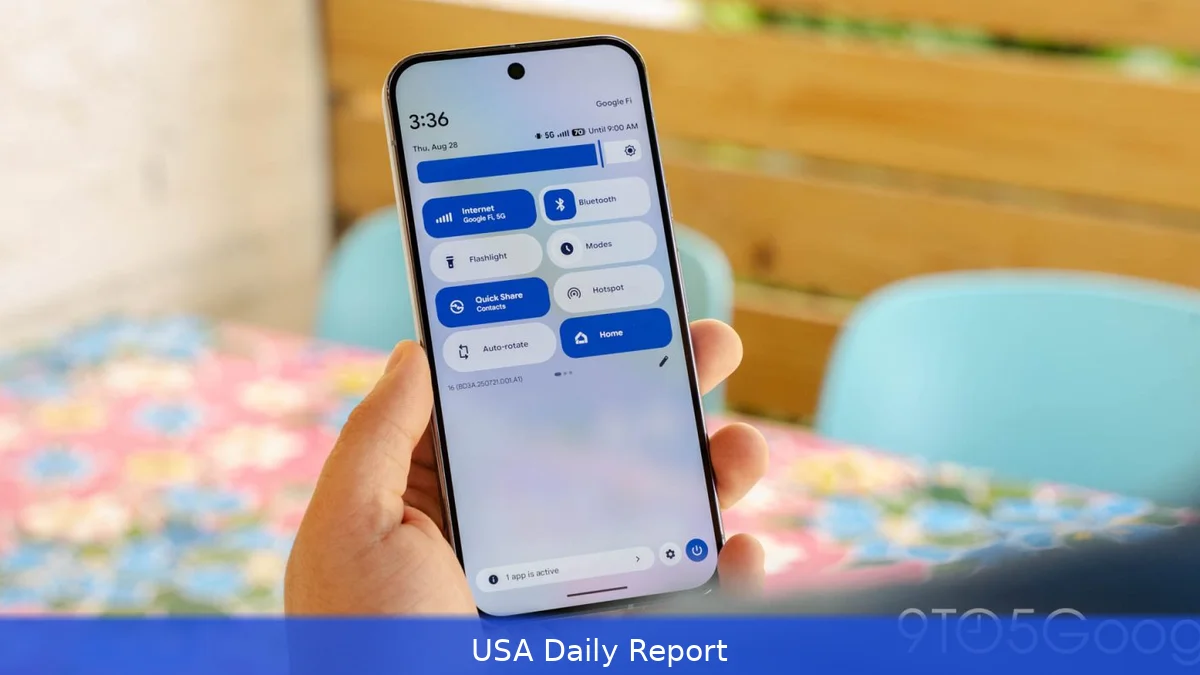
Android users have waited years for this: Google’s Android 17 Beta 3 update restores the single-tap Wi-Fi toggle in Quick Settings. This change simplifies a process that became frustratingly complex since Android 12, offering Pixel owners a faster way to manage their connections.
Wi-Fi Toggle Returns to Simplicity
For nearly a decade, Android users could switch Wi-Fi on or off with a quick tap in the Quick Settings panel. That changed with Android 12, when Google introduced a unified Wi-Fi button that opened a pop-up instead of toggling immediately. This new interface made the process two-step: tap the tile, then toggle Wi-Fi inside the pop-up. For many, especially Pixel owners, it was a step backward in convenience.
Android 17 Beta 3 reverses that with a clever compromise. If you use the wider 2x1 Quick Settings tile, tapping the Wi-Fi icon on the left side instantly toggles Wi-Fi on or off. Tap the right side, where your current network name appears, and the old pop-up with nearby networks and options shows up. Those with the smaller 1x1 tile get simple single-tap toggling, with no pop-up option.
Long-pressing the tile still opens the full Internet settings page, keeping advanced controls just a tap away. This design echoes the Bluetooth tile update in Android 16 QPR1, which split simple toggling and detailed options between different tap areas.
Google brought back single-tap functionality after users expressed frustration over the past few years.
Mobile Data Gets Its Own Quick Settings Tile
Another big change in Android 17 Beta 3 is the split of Wi-Fi and mobile data into separate Quick Settings tiles. For years, these two functions shared one tile that controlled both connection types.
If you needed to disable mobile data quickly, you had to tap the tile and then adjust settings inside the pop-up.
Now, mobile data has its own dedicated tile right next to Wi-Fi. A single tap on either tile disables or enables that connection type independently. Wi-Fi toggles instantly, while mobile data requires confirmation to avoid accidental changes. Both tiles can be resized or rearranged like any other Quick Settings button to suit user preferences.
Separating the tiles makes sense because people use Wi-Fi and mobile data in different ways. Many switch off mobile data to save battery or avoid charges while keeping Wi-Fi active. Having distinct controls removes confusion and speeds up the process.
Why the Delay? A Long Road Back
Google took a surprisingly long time to restore the single-tap Wi-Fi toggle. Android 12’s change in 2021 forced users into a more complex workflow for no obvious benefit. Pixel users, in particular, were stuck with this two-step process even as other manufacturers offered simpler toggles.
Some think Google wanted users to connect to better networks or check out more options. But the backlash was clear: people wanted quick control, not extra steps.
Android 17 Beta 3 proves Google paid attention to user feedback. The restoration of single-tap toggling is a win for usability. It also fits a broader pattern of Google refining Quick Settings to balance quick access and detailed control. The Bluetooth tile update set the precedent, and Wi-Fi follows suit.
Splitting Wi-Fi and mobile data is another sign the company wants to give users more straightforward, independent control over their connectivity. These changes might look minor, but they make everyday phone use a lot easier.
What This Means for Android Users
For Pixel owners running Android 17 Beta 3, the update brings immediate relief. No more tapping multiple times just to turn Wi-Fi off before hopping into a meeting or saving battery. The new tile layout also makes managing mobile data faster and clearer.
Other Android devices will likely see similar changes when Android 17 rolls out to the public later this year. This update could encourage manufacturers to rethink their Quick Settings layouts and adopt this split approach.
Keep in mind, Android 17 Beta 3 is still in beta. Some behavior might shift before the final release, including how long-press actions work or if further customization options arrive. But the core return of single-tap Wi-Fi toggling and separate mobile data control seems set.
These updates reflect Google's move to simplify the user experience after trying out more complex designs. It’s a reminder that sometimes, less really is more.
Android 17 Beta 3 finally fixes a long-standing annoyance. By restoring one-tap Wi-Fi toggling and giving mobile data its own Quick Settings tile, Google is making Pixel phones easier to use. Now the question is, how soon will other Android devices follow?


