Apple just dropped iOS 26.4, which includes new tools to boost your iPhone’s security and battery life. To really benefit from these features, you’ll want to adjust about a dozen key settings after updating.
Lock Down Your Privacy and Security
IOS 26.4 packs in several new privacy features designed to keep your personal data safer. One of the standout additions is “Background Security Improvements.” When enabled, this setting automatically installs critical security patches behind the scenes, protecting your device from emerging threats without you lifting a finger.
Another important change is the “Ask for New Accessories” feature. Turn this on to force your iPhone to ask for permission before connecting to unfamiliar USB devices or external drives. It’s a simple but powerful way to stop unauthorized gadgets from accessing your data.
Make sure to check your app permissions regularly. Go through your apps to check what data they can access—location, camera, microphone—and restrict anything unnecessary.
This helps limit apps to only the info they truly need, reducing your exposure to privacy risks.
Save Battery with Smart Settings
Battery life remains a top concern for iPhone users, and iOS 26.4 introduces features to help with that. Enabling “Adaptive Power” allows your phone to adjust its performance dynamically based on how you use it.
This way, your device avoids wasting energy by running at full speed when it’s not necessary.
Alongside this, turn on “Adaptive Power Notifications” so you get alerts whenever this battery-saving mode kicks in. That way, you can keep track of how often your phone is optimizing power and tweak settings if needed.
Display settings also matter. The iPhone screen consumes a lot of energy, so activate “Reduce Bright Effects” to tone down flashy animations and bright visuals that drain your battery faster. These subtle tweaks add up to longer usage between charges.
Keep Software and Apps Up to Date
After installing iOS 26.4, it’s crucial to enable automatic software updates. Head to Settings > General > Software Update and toggle on “Automatic Updates.” This ensures your phone stays current with the latest features and security fixes without you having to remember to check.
Also, check for carrier updates by going to Settings > General > About. These updates improve your phone’s network performance and can fix bugs affecting calls, messaging, or data connection.
App updates matter too. Outdated apps may crash or not work well with the new iOS. Open the App Store and either manually update your apps or turn on automatic updates in Settings > App Store. Staying up to date keeps your apps running smoothly.
Monitor Battery Health and Manage Location Access
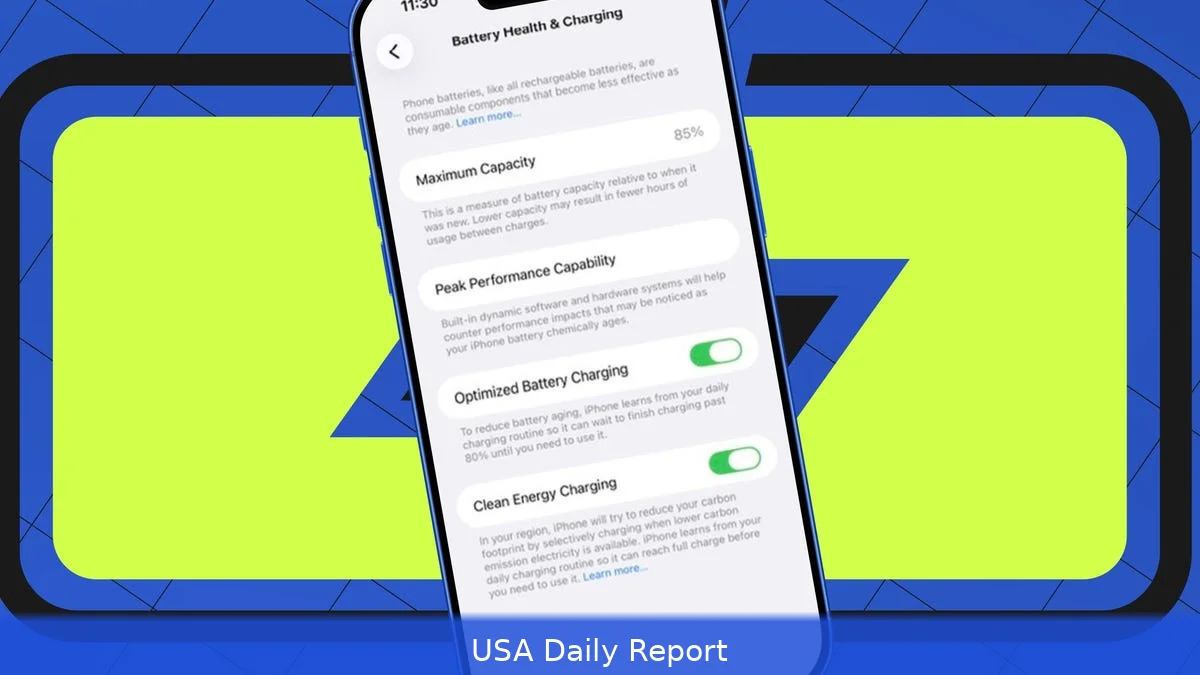
IOS 26.4 adds tools to monitor your battery’s health more closely. Visit Settings > Battery > Battery Health & Charging to see your battery’s maximum capacity. If it’s below 80%, your device might need a battery replacement to keep running well.
It’s worth noting that updating your software doesn’t wear down your battery. Updates just reveal how much life it has left. Regularly checking this info helps you plan replacements before performance drops.
Location services are another big privacy factor. Restrict precise location access to only the apps that truly need it, like navigation or ride-sharing services. You can manage this in Settings > Privacy & Security > Location Services. Limiting location data reduces your device’s exposure to tracking and can also save some battery life.
Why These Changes Matter Now
Apple’s latest iOS update isn’t just about flashy new features. It’s a response to growing concerns over security breaches and battery lifespan. Smartphones today handle more data and tasks than ever before, so managing them efficiently is key.
Plus, the new privacy controls come at a time when consumers are increasingly aware of data misuse. With cyber threats evolving rapidly, automatic background security patches and stricter accessory controls give users a needed layer of defense.
Battery optimization reflects how people rely on their phones all day long. Adaptive power settings and display tweaks help extend usage without sacrificing performance.
But remember, you have to take these steps yourself. The update delivers tools, but activating them is up to you. Ignoring these settings means missing out on the full benefits Apple built into iOS 26.4.
With iOS 26.4, Apple offers powerful new controls for privacy and battery life—but only if you tweak your settings soon after updating. Have you changed your settings yet?


