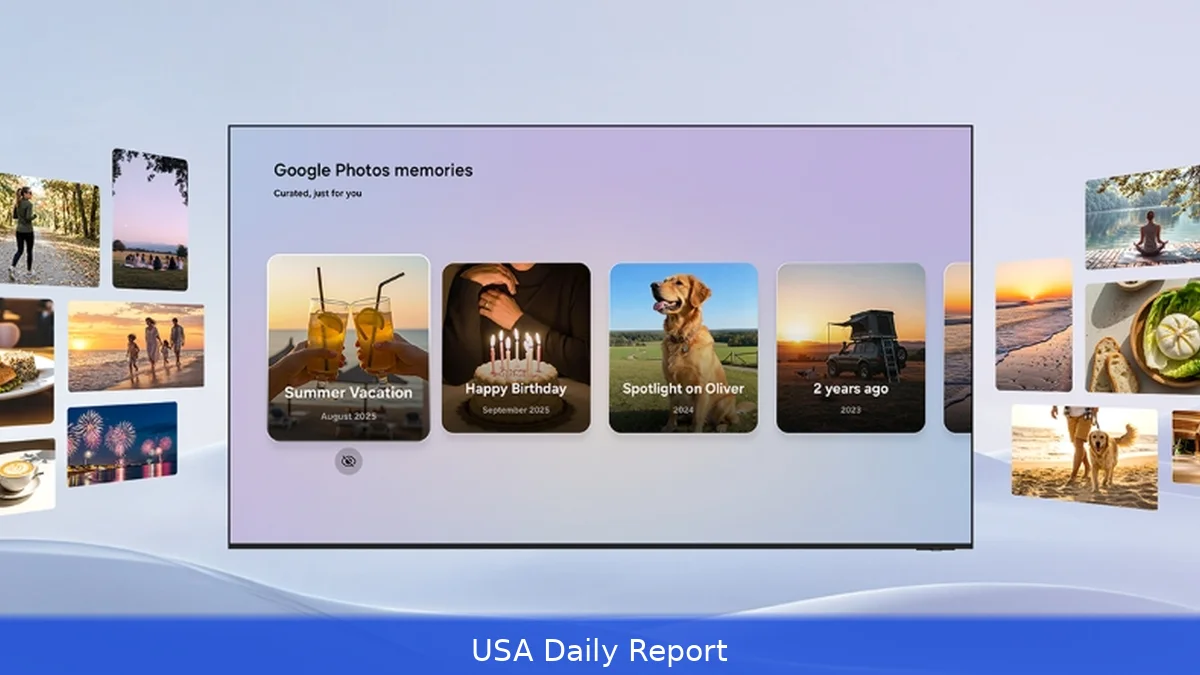
Google Photos is now available on some Samsung TVs, but only on select 2026 models. This new app integration turns your living room screen into a dynamic photo frame that shows your favorite moments in a new way.
Photos on Samsung TVs: What You Need to Know
Samsung and Google worked together to bring Google Photos to Samsung’s 2026 TV lineup, offering a fresh way to enjoy personal photos on your big screen. It’s more than just a simple slideshow app. Instead, it integrates into Samsung’s smart TV interface in several ways to highlight your memories thoughtfully and interactively.
The Google Photos experience is accessible in three main places on compatible Samsung TVs: the Daily+ row, the Daily+ app launcher, and the Daily Board widget. Each has a different function, but all share the goal of surfacing your best photos in a visually engaging way.
When navigating the Daily+ row, users can scroll through a curated selection of memories that refresh automatically—kind of like an evolving photo album that updates with your latest and most meaningful shots. The Daily+ app launcher takes it a step further, letting you open Google Photos as a full-screen app to dive deep into your collection. Meanwhile, the Daily Board widget displays photos subtly in the background while you browse other TV functions, blending your memories into everyday TV use.
Signing In and Privacy Controls
To get started, users must sign in to their Google Photos account on the TV. Google has made this process straightforward with a QR code that appears on the screen, allowing you to use your phone to authenticate quickly. Once signed in, the TV will pull your photos from the cloud and display them across the integrated spots mentioned above.
Samsung and Google know that not everyone wants to show all their photos. So, the integration lets users control which people, pets, or dates appear in the memories shown on TV. Changes made here sync across all devices linked to that Google Photos account to keep your photo sharing consistent and secure.
What’s Missing and Future Plans
It’s worth noting this app doesn’t let you browse your entire Google Photos library on the TV. Instead, it focuses on the 'Memories' feature—curated collections of your photos based on people, places, and moments Google’s algorithms find meaningful. This keeps the experience simple and visually appealing but limits search and manual browsing capabilities.
That contrasts with Google TV’s approach, which lacks a dedicated Google Photos app but offers more flexible photo searching through Google's Gemini AI-powered tools. Samsung’s integration prioritizes a curated, ambient experience over deep photo management.
Samsung has bigger plans coming up. They’re working on expanding Google Photos features through their Vision AI Companion. This includes a 'Memories' mode launching in March 2026, exclusive to Samsung TVs for six months, offering AI-curated storylines from your photos. Later in 2026, a 'Create with AI' tool will let users generate themed edits and even short videos from still images, powered by Google DeepMind’s image generation technology. Another feature, 'Personalized Results,' will craft themed slideshows based on topics like hiking or travel.
Availability and Compatibility
Right now, Google Photos on Samsung TVs is limited to select 2026 models. Samsung hasn’t released a full list of eligible TVs, but these are the newest sets that support the integration. If you’re rocking a 2025 or older Samsung TV, this app won’t show up.
Samsung likely limited availability to the newest hardware because the app needs advanced processing power and software support, especially for upcoming AI features. Samsung’s Vision AI Companion, a beefed-up version of their Bixby assistant, will also play a big role in future Google Photos enhancements on their TVs.
For those with eligible sets, the Google Photos app is available now and can be found through the TV’s app launcher or integrated widgets.
Samsung and Google’s partnership offers a new way to relive memories on your TV by blending AI-powered curation with a big-screen experience. But for now, the feature is exclusive to the newest Samsung models and focuses on highlighting selected moments rather than full library access. How this evolves with Vision AI Companion and AI editing tools later in 2026 could change how we use TVs as digital photo frames.


