
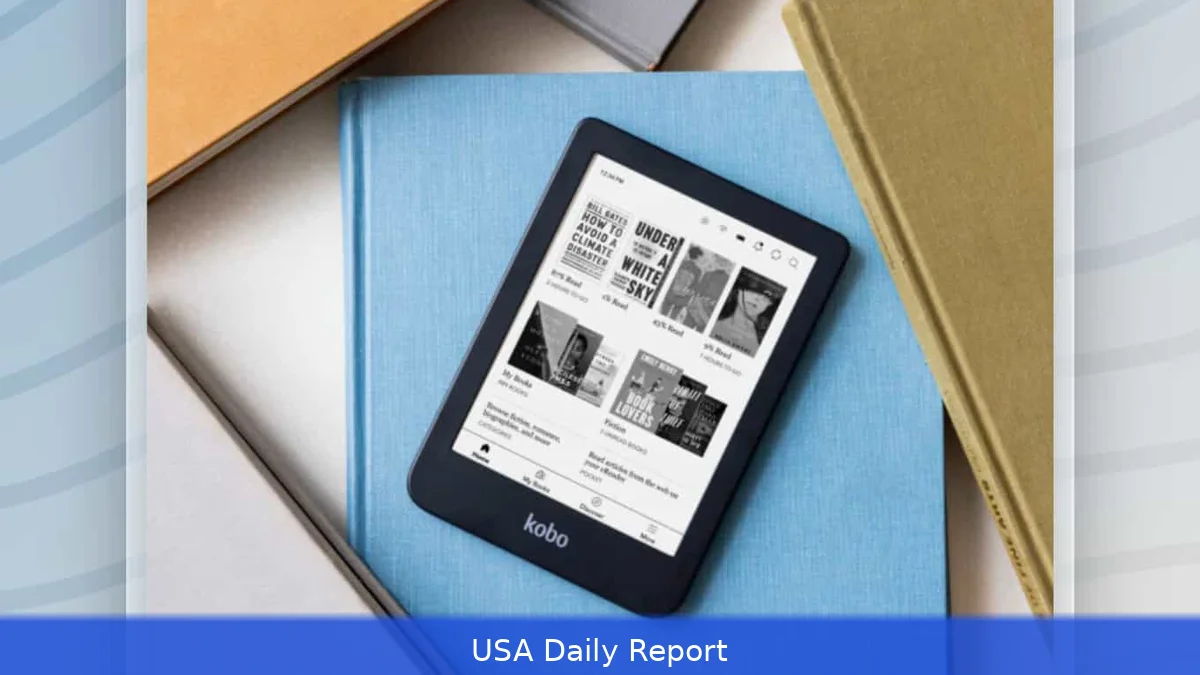
People still prefer e-readers over tablets when reading for a long time. E-readers are lighter, easier on the eyes, and their batteries can last for days or even weeks. If you're buying one in 2026, you'll want to consider the ecosystem, screen technology, and whether you need note-taking features or just reading. Here are ten top picks with quick facts and tips to help you choose the right e-reader for your reading habits.
Quick reference — top picks at a glance
- Kindle Paperwhite (Best overall) — $160, 7", 300 ppi, waterproof
- Kindle Scribe (Best for notes) — from $339.99, stylus support, large screen
- Kobo Clara 2E (Best budget alternative) — $140, 6", 300 ppi, EPUB friendly
- Kobo Libra 2 (Best for comfort) — $179.99, 7", page-turn buttons
- Onyx Boox Note Air (Best power user) — ~$449, Android apps, large storage
- ReMarkable 2 (Best distraction-free writing) — $299, paper-like writing feel
- Nook GlowLight 4 (Best for B&N shoppers) — $119.99, compact, simple UI
- Kobo Sage (Best large-screen EPUB reader) — $279.99, optional stylus
- PocketBook InkPad Color (Best color e-ink reader) — $249.99, 7.8" color)
- Kindle (basic) (Best cheap Kindle) — $89.99, lightweight, basic features
Comparison table
| Model | Screen | Resolution | Key feature | Price (USD) |
|---|---|---|---|---|
| Kindle Paperwhite | 7" | 300 ppi | Waterproof, huge Kindle Store | $160 |
| Kindle Scribe | 10.2" | 300 ppi | Stylus, PDF annotation | From $339.99 |
| Kobo Clara 2E | 6" | 300 ppi | Native EPUB, library-ready | $140 |
| Kobo Libra 2 | 7" | 300 ppi | Buttons + touchscreen | $179.99 |
| Onyx Boox Note Air | 10.3" | 300 ppi | Android, apps, multitask | ~$449 |
| ReMarkable 2 | 10.3" | 226 ppi | Best writing feel | $299 |
| Nook GlowLight 4 | 6" | 300 ppi | B&N store integration | $119.99 |
| Kobo Sage | 8" | 300 ppi | Large EPUB canvas | $279.99 |
| PocketBook InkPad Color | 7.8" | 300 ppi (color) | Color e-ink, comics/manga | $249.99 |
| Kindle (basic) | 6" | 300 ppi | Cheap, light, ads option | $89.99 |
Ranked list — 1 to 10
1. Kindle Paperwhite — Best overall
Key features: 7-inch 300 ppi display, IPX8 waterproofing, adjustable warm light, 16 GB storage, Whispersync, access to Amazon's Kindle Store and Audible syncing.
- Pros: Biggest ebook selection in the US, tight ecosystem with Kindle Unlimited ($11.99/month) and Prime Reading, solid resale value.
- Cons: Tied to Amazon formats and store for best experience; EPUB support still limited in older models.
- Best for: Regular readers who want the least friction buying books and the largest library.
- Price: $160 (current street price for the main Paperwhite model).
2. Kindle Scribe — Best for note-taking and PDFs
Key features: Large 10.2" E Ink screen, pressure-sensitive stylus, PDF annotation, long battery life, integration with Kindle notes.
- Pros: Best Amazon device if you annotate textbooks or research; syncs notes across Kindle apps.
- Cons: Expensive, still within Amazon's ecosystem, limited handwriting-to-text accuracy on complex layouts.
- Best for: Students, researchers, and professionals who read long PDFs and want pen input.
- Price: From $339.99 depending on storage and special offers.
3. Kobo Clara 2E — Best budget alternative
Key features: 6" 300 ppi screen, ComfortLight PRO warm light, waterproof, 16 GB storage. Native EPUB support makes it library-friendly and flexible.
- Pros: Opens EPUBs natively so library loans via OverDrive/Libby work without conversion; stores thousands of books (Kobo advertises storage for up to ~12,000 titles on some models).
- Cons: Smaller screen, fewer premium extras than higher-end Kobos or Kindles.
- Best for: Readers who borrow ebooks from libraries or buy outside Amazon.
- Price: $140 (typical retail price for Clara 2E).
4. Kobo Libra 2 — Best for comfort and page-turners
Key features: 7" 300 ppi, physical page-turn buttons, adjustable warm light, native EPUB and OverDrive integration.
- Pros: Comfortable for long reading with one-handed buttons; excellent library support without conversions.
- Cons: Kobo Store is smaller than Amazon's; fewer ancillary services like Audible.
- Best for: Heavy readers who want tactile page control and EPUB flexibility.
- Price: $179.99.
5. Onyx Boox Note Air (and Note series) — Best for power users
Key features: Large 10.3" screen, runs Android so you can install apps (Libby, Kindle app, Dropbox), strong PDF handling, stylus support.

- Pros: Versatile — acts like an e-reader, note pad, and light tablet; excellent for research workflows.
- Cons: Higher price (~$449) and a steeper learning curve; not as seamless as a closed ecosystem for buying books.
- Best for: Researchers, academics, and anyone who wants Android apps on an e-ink screen.
- Price: Around $449, depending on configuration and seller.
6. ReMarkable 2 — Best for distraction-free writing with reading support
Key features: Thin, light 10.3" device built for writing with a paper-like feel. Clean UI with PDF and EPUB support through cloud sync.
- Pros: Best writing surface in the category; fast, lag-free inking and tidy export options.
- Cons: Less polished reading features than Kindle/Kobo; fewer store options; $299 device cost plus optional subscription for cloud extras.
- Best for: Writers who want to draft and annotate with minimal distractions.
- Price: $299 (device only).
7. Nook GlowLight 4 — Best for Barnes & Noble fans
Key features: 6" 300 ppi E Ink, GlowLight adjustable front light, B&N bookstore integration.
- Pros: Good value at $119.99; clean UI; works well with Barnes & Noble purchases and club offers.
- Cons: Smaller ecosystem than Amazon; library loan support varies by region.
- Best for: B&N shoppers who want a simple, reliable reader.
- Price: $119.99.
8. Kobo Sage — Best large-screen EPUB reader
Key features: 8" or larger E Ink, stylus support, OverDrive built in, strong typography options.
- Pros: Big canvas for PDFs and comics, strong EPUB support and customization.
- Cons: Heft and price ($279.99) make it less travel-friendly than smaller models.
- Best for: Readers who need a larger screen for textbooks or comics.
- Price: $279.99.
9. PocketBook InkPad Color — Best color e-ink reader
Right now, key features: 7.8" color e-ink suitable for comics, magazines, and children's books. Good format support and Bluetooth audio in some models.
- Pros: Color e-ink opens new reading types; decent value at about $249.99.
- Cons: Color e-ink still lags grayscale for contrast; fewer mainstream apps and services in the US.
- Best for: Comic readers and anyone who wants color without a tablet.
- Price: $249.99.
10. Kindle (basic) — Best cheap Kindle
Key features: 6" 300 ppi display, compact, ads option to lower price, access to Kindle Store.
- Pros: Very affordable entry into Amazon's ecosystem; lightweight and easy to use.
- Cons: Fewer features than Paperwhite; smaller screen for PDFs and comics.
- Best for: First-time buyers and casual readers who want access to Amazon's catalog on a budget.
- Price: $89.99 (base model).
How we chose
We focused on five practical criteria: screen quality (ppi and size), ecosystem and format support (Amazon, EPUB, library loans), special features (waterproofing, warm light, stylus), price, and real-world usability (buttons, weight, battery life). We picked models that cover the full range of readers — from casual book buyers to note-heavy PDF users. But we favored current retail pricing and features that buyers will use every day: library borrowing, file compatibility, and whether a device supports audio or stylus work.
Practical tips for buying
- Think ecosystem first: If you already buy most books from Amazon, Kindle is simplest. If you borrow from libraries often, Kobo or devices that support Libby/OverDrive are easier.
- Match screen to content: Small screens are fine for novels. Get 8"+ for PDFs, comics, and textbooks.
- Watch storage if you keep audiobooks or lots of PDFs — 16 GB is common, but 32 GB or more helps for big files.
- Buy waterproofing if you read by pools or baths — many Paperwhites and Kobos are IPX8-rated.
- Consider stickers and deals: Kindle models often go on sale during Prime Day and holiday events; Kobo runs promotions tied to Rakuten membership.
Privacy and safety
Most e-readers collect reading data to sync progress and recommendations. Amazon links reading habits to your Amazon account and may use that data for recommendations and marketing. Kobo and Barnes & Noble collect similar telemetry to varying degrees. If privacy matters, check settings to disable cloud sync, automatic recommendations, and page-store uploads. For devices running third-party OSes (Onyx Boox with Android), remove apps you don't use and update their firmware — vendors push security patches periodically. Finally, use a strong password for any account tied to purchases and enable two-factor authentication where available.
Related Articles
- How AI Is Transforming US Finance 2026 — Banking, Insurance and Trading
- Best Antivirus Software US 2026 — Free and Paid Options Tested
Final verdict: For most US buyers in 2026 the Kindle Paperwhite hits the best balance of price, features and the biggest ebook catalog — it's the safest, most friction-free choice. But if you want freedom from Amazon, native EPUB support and easy library loans, Kobo's Clara 2E or Libra 2 are smarter picks. Power users who need Android apps or heavy PDF annotation should look at Onyx Boox. And for writers who want a paper-like pen experience, reMarkable still leads. Decide what you read most — novels, PDFs, or comics — then match screen size and ecosystem. That makes the choice simple.
This article was created with AI assistance.


