
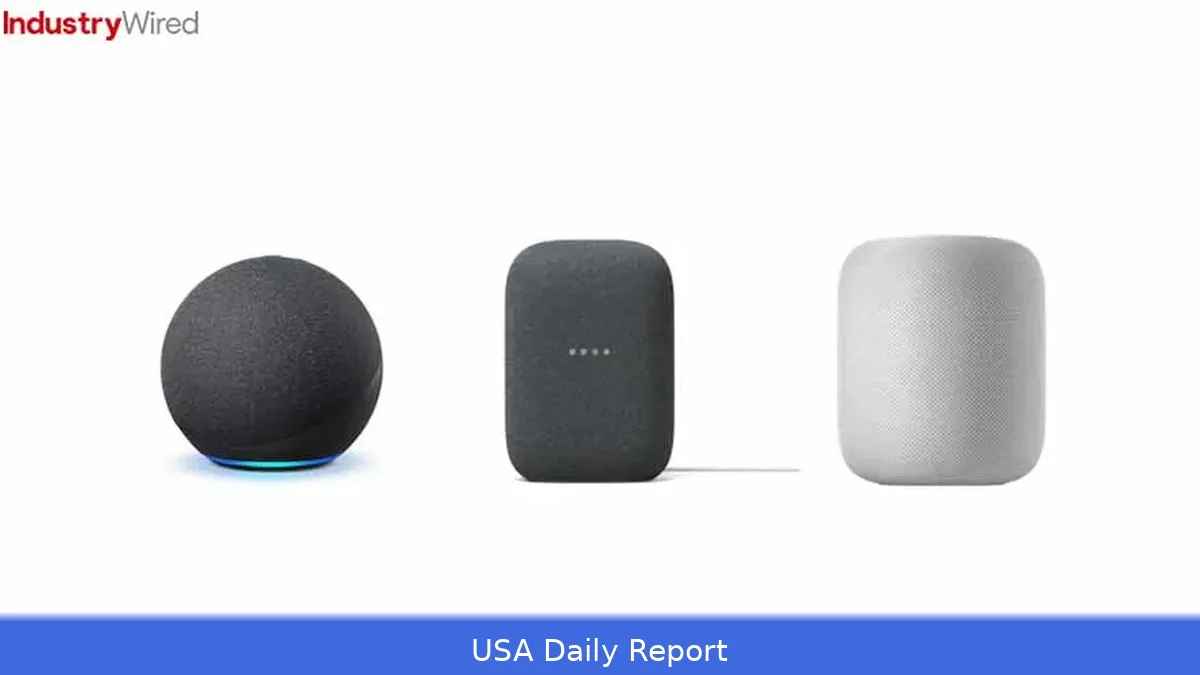
Smart home devices have gotten more affordable, smarter, and more reliable over time. But picking the right hub and devices matters — Alexa, Google, and Apple each take a different route. Here’s a list of ten smart home devices worth considering in the US for 2026, along with what makes each one stand out and which ecosystem suits different homes.
Quick-reference summary
Short on time? Here are the top picks at a glance.
- 1. Amazon Echo (4th Gen) — Best overall hub for device compatibility — $99.99
- 2. Google Nest Hub (2nd Gen) — Best for visual controls and routines — $99.99
- 3. Apple HomePod mini — Best for privacy and local control — $99.00
- 4. Philips Hue Starter Kit (3-bulb + Bridge) — Best smart lighting — $179.99
- 5. Ring Video Doorbell Pro 2 — Best for curbside security — $249.99
- 6. Arlo Pro 4 — Best wireless camera with 2K video — $199.99 per camera
- 7. Ecobee SmartThermostat — Best smart thermostat with voice — $249.99
- 8. August Wi‑Fi Smart Lock — Best smart lock for easy install — $229.99
- 9. Wyze Cam v3 — Best budget indoor/outdoor camera — $35.98
- 10. Google Chromecast with Google TV — Best low-cost streaming + smart controls — $49.99
Comparison table
Price shown is the typical US retail price in 2026; sales will change that.
| Device | Best for | Key feature | Price (USD) |
|---|---|---|---|
| Amazon Echo (4th Gen) | Compatibility across brands | Alexa routines, wide device support | $99.99 |
| Google Nest Hub (2nd Gen) | Visual controls, camera view | Local display, Sleep Sensing | $99.99 |
| Apple HomePod mini | Privacy-first Apple homes | HomeKit, local control | $99.00 |
| Philips Hue Starter Kit (3-bulb + Bridge) | Lighting scenes and reliability | Zigbee Bridge, wide accessory support | $179.99 |
| Ring Video Doorbell Pro 2 | Doorstep security | 3D motion, 1536p video | $249.99 |
| Arlo Pro 4 | High-res wireless cameras | 2K HDR, color night vision | $199.99/camera |
| Ecobee SmartThermostat | Energy savings + voice | Built-in voice assistant, room sensors | $249.99 |
| August Wi‑Fi Smart Lock | Easy retrofit smart lock | Built-in Wi‑Fi, no hub | $229.99 |
| Wyze Cam v3 | Budget monitoring | Color night vision, wired power | $35.98 |
| Google Chromecast with Google TV | Cheap streaming + smart control | 4K HDR, Google Assistant | $49.99 |
Ranked picks — 1 to 10
1. Amazon Echo (4th Gen)
Key features: Full Alexa support, Zigbee hub in some models, far-field microphones, multiroom audio. Release window: updated hardware through 2022–2024 era.
Pros: Works with the widest set of devices and brands. Alexa routines let you link timers, scenes, and smart plugs easily, without needing extra hubs. Great integrations with Amazon services for shopping and smart home skills.
Cons: Cloud-first voice processing raises privacy questions. Some features push Amazon subscriptions.
This device works best for households looking to avoid compatibility issues and add voice control affordably.
Price: $99.99 (retail).
2. Google Nest Hub (2nd Gen)
Key features: 7-inch display for visual controls, ambient visual routines, Nest camera streaming, strong natural-language assistant for searches.
One of its strengths is the visual interface, which makes controlling devices across rooms and viewing camera feeds simple. Google’s assistant often answers conversational queries better for searches and calendar info.
Cons: Fewer supported third-party smart-home skills than Alexa in some niches. Some Nest features are tied to Google subscription plans.
Best for: People who want a visual control panel for their home and use Google services daily.
Price: $99.99 (retail).
3. Apple HomePod mini
Here's the thing — key features: Siri, HomeKit, local control where supported, HomeKit Secure Video for cameras, end-to-end encryption for many automations.
Pros: Strong privacy stance — commands and automations can stay on the local network. Seamless handoff and audio with iPhone, AirPlay 2 support. HomeKit-compatible devices tend to run locally for faster response.
A downside is the smaller device ecosystem since many budget gadgets don’t support HomeKit out of the box. Works best if you already own Apple gear.
Best for: Apple households that prioritize privacy and want predictable, fast automations.
Price: $99.00 (retail).
4. Philips Hue Starter Kit (3-bulb + Bridge)
Key features: Zigbee bridge, wide third-party accessory support, color and scene controls, scheduled routines.
Pros: Lighting upgrades are often the most noticeable smart home improvement. Hue is reliable, integrates with all three major ecosystems, and supports local control via the bridge.
Cons: One of the more expensive smart-bulb ecosystems. Some advanced color bulbs run $40+ each.
Best for: Anyone who wants dependable smart lighting and the best ecosystem of bulbs, switches, and accessories.
Price: $179.99 (starter kit typical retail).

5. Ring Video Doorbell Pro 2
Key features: 1536p video, 3D motion detection, integrated spotlight options. Deep Echo integration for announcements and live view.
Pros: Excellent motion detection and package alerts. Works well with Alexa and Echo Show devices for hands-free viewing.
Cons: Ring subscriptions are commonly needed for cloud storage. Privacy concerns persist around law enforcement access and account sharing.
Best for: Homes where doorstep security and two-way communication matter most.
Price: $249.99 (retail).
6. Arlo Pro 4
Key features: 2K HDR video, color night vision, wireless with rechargeable batteries, local storage via base station optional.
Pros: High-quality video and flexible placement. Works with Alexa and Google platforms. Good reliability for outdoor monitoring.
Cons: Premium features often require an Arlo subscription. Battery life varies by activity level.
Best for: Yards and entryways where image detail matters.
Price: $199.99 per camera (retail).
7. Ecobee SmartThermostat
Key features: Remote room sensors for occupancy-based comfort, built-in voice assistant options, ENERGY STAR certified models reduce heating/cooling waste.
Pros: Solid energy savings — many users see measurable HVAC efficiency. Integrates with Alexa and Apple HomeKit.
Cons: Higher upfront cost than basic smart thermostats. Installation may need a C-wire or adapter.
Best for: Homeowners who want energy savings and flexible voice control.
Price: $249.99 (retail).
8. August Wi‑Fi Smart Lock
Key features: Retrofit kit that works with existing deadbolts, built-in Wi‑Fi, remote access without extra hub.
Pros: Simple install and good mobile app. Works with Alexa, Google, and HomeKit (via August Connect or bridge in some setups).
Cons: Not all models support full HomeKit without extra hardware. Smart locks still need strong passwords and two-factor authentication to be safe.
Best for: Renters and homeowners who want smart-lock convenience without changing hardware.
Price: $229.99 (retail).
9. Wyze Cam v3
Key features: Very low price, color night vision, wired power, local microSD recording option.
Pros: Outstanding value. Good for interior monitoring, baby rooms, garages, and sheds.
Cons: Cloud subscriptions and feature parity lag behind big brands. Build quality is fine but not premium.
Best for: Budget-conscious buyers who want cameras in lots of places.
Price: $35.98 (retail).
10. Google Chromecast with Google TV
Key features: 4K streaming, Google TV interface, Google Assistant built-in for casting and smart home control.
Pros: Inexpensive way to add voice control and streaming to any TV. Works cleanly with Nest devices and Google accounts.
Cons: Not a full smart-home hub — it’s a media device with controls. Some advanced smart-home automations need a dedicated hub.
Best for: TV-focused living rooms that rely on Google services.
Price: $49.99 (retail).
How we chose these devices
We picked gear that matters in day-to-day life: hubs that actually run automations, cameras and locks that protect the home, and a few standout devices that make the biggest difference (lights, thermostat, streaming). We focused on real-world compatibility — devices that work across Alexa, Google, and Apple where possible. But we weighed price, reliability, and privacy. We also looked at how each product performs without subscriptions and how much functionality you buy with or without a monthly plan.
Practical tips for building a 2026 smart home
- Pick an ecosystem first. Mixing all three (Alexa, Google, Apple) is possible — but you’ll add friction. Decide which assistant you use most on phones and speakers.
- Start with lighting and a hub. Smart bulbs and a reliable hub or speaker make the rest easier to add.
- Buy a wired-first camera for key spots and budget cams to fill in. Use local storage where you can to reduce subscription costs.
- Thermostat and locks save real money or time. These are worth splurging on once your hub is stable.
- Look for Matter support. Many devices added Matter support after 2022. That standard makes cross-ecosystem use simpler and future-proofs new purchases.
Privacy and safety
Privacy practices differ. Apple leans hard on local control and encryption. Google and Amazon process more in the cloud to enable features. So expect trade-offs: cloud processing can mean smarter voice understanding and broader device compatibility — but also more data on company servers.
Secure the account tied to any hub: enable two-factor authentication, use unique, strong passwords, and keep firmware up to date. For cameras and doorbells, prefer local recording or a subscription that encrypts your footage. For locks, always enable passcodes and app-level protections. And remember — the best security starts with a secure Wi‑Fi network: use WPA3 where supported, a separate guest network for devices you don’t fully trust, and routinely update router firmware.
Related Articles
- Best Laptops Under $500 US 2026 — For Work, Students and Home Use
- US Broadband Speed Guide 2026 — What Speed Do You Actually Need
Final verdict: If you want broad device support and fewer headaches, Amazon Echo and the Alexa ecosystem remain the easiest way to get lots of smart devices working together. If you run your life on Google — calendars, photos, and YouTube — the Nest Hub gives the best on-screen control and smart displays. If privacy and fast local automations are the priority, HomeKit and the HomePod mini are the pick. Lighting, cameras, locks, and thermostats still deliver the biggest improvements to daily life — so pick the ecosystem first, then buy the devices that solve real problems for your home.
This article was created with AI assistance.


