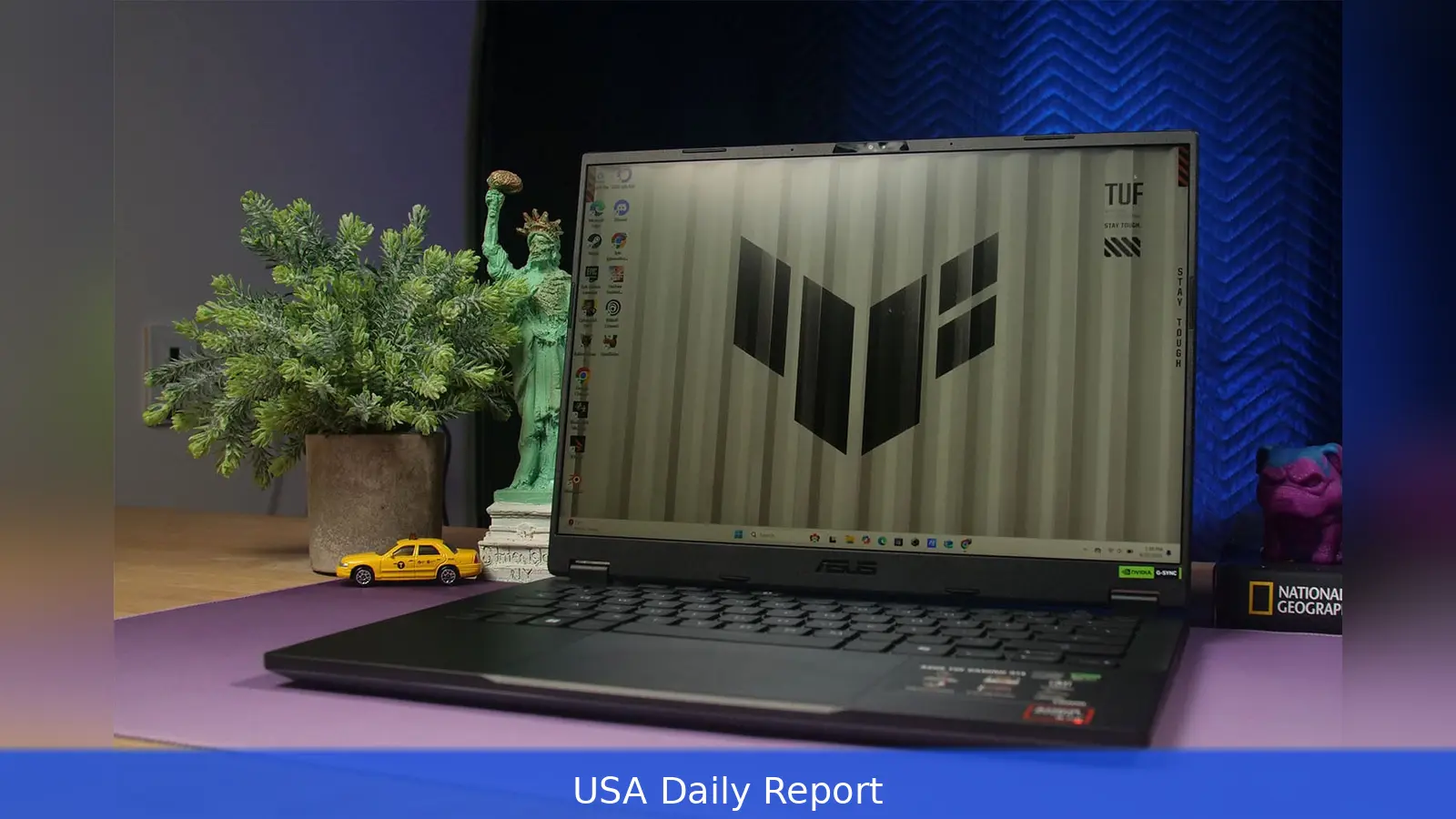
Asus's new TUF A14 ships without a discrete GPU.
First impressions: slimmer, quieter gaming look
The TUF Gaming A14 sheds much of the chunky, showy styling that used to define the TUF line. Where older models felt like budget gaming bricks, the 2026 A14 lands at a slimmer profile — roughly the thickness and weight of a 14-inch MacBook Pro — and trims the side bezels to a minimal width. The bottom bezel is pretty thick because the laptop uses a 16:9 screen, which means you get less visible screen in the same size.
Asus toned down the flashy gaming look. You won't find neon accents or an over-the-top hinge. The design cues that remain are small: the font used on the keycaps and the vent shapes beneath the hinge. There's no per-key RGB. The aesthetic is subdued by purpose. This makes the A14 feel just as much like a portable work machine as it does a gaming laptop.
The shell is plastic, but it doesn't feel cheap in use. Pressing the lid or the palm rests produced little flex during testing. The oversized touchpad is precise and responsive. The keyboard layout is comfortable; Asus didn't skimp on everyday input quality the way some budget gaming models do.
Ports, expandability and daily use
Port selection is one of the A14's stronger points. On the left, Asus provides a USB-A 3.2, a USB-C, an HDMI 2.1 output, a 3.5mm headphone jack and a proprietary power jack. The right side carries a second USB-A, a USB4-capable USB-C port and a microSD card slot. Putting a USB4 connector on the right lets users charge or hook up an external display from either side — a convenience many competing laptops skip.
These ports give the A14 flexibility whether you're at a desk, working on creative projects, or on the go. The inclusion of HDMI 2.1 means the laptop can drive higher-refresh external displays without an adapter. The microSD slot will please content creators who swap cards on the go. And the dual-side USB-C support removes the common annoyance of being forced to plug the power cable into one particular side.
Display: higher-res than the usual budget gaming laptop
The A14's screen moves away from the low-res panels common on cheap gaming machines. Asus fits a 2560 x 1600 display with a 165 Hz refresh rate. That resolution is a big step up from 1080p panels found on many entry-level gaming rigs. It also changes how you approach frame-rate targets while gaming.
Since the review unit lacks a discrete GPU, running games at 1200p makes the most sense. At that setting you still get the benefit of the panel's higher pixel density and the smoother feel of a 165 Hz refresh rate. The screen makes the A14 useful as a hybrid device; it's better for spreadsheets, school work and long browsing sessions than many other low-cost gaming laptops.
Performance angle: what GPU-less actually means
The A14 arrives without a discrete graphics chip in the reviewed configuration. Asus positions the machine as a gaming-capable laptop that relies on integrated graphics rather than a separate GPU. That choice reduces cost, power draw and heat — and it changes real-world performance expectations.
Without a separate GPU, this laptop can't handle the newest AAA games at ultra settings. Instead, the focus is on efficiency and on titles that run well on integrated silicon or scale down gracefully to midrange settings. For players who mainly enjoy esports titles or older games, the A14 will still deliver a good experience. For users chasing maximum frame rates in the newest, most demanding releases, a separate GPU remains the better option.
This tradeoff is why the A14 doesn't really qualify as a strict budget laptop anymore. The higher-resolution display and the refined build push it into a different class. Asus is selling a portable, better-looking machine that can game — rather than a raw-performance bargain designed purely for high-frame-rate gaming.
How it compares to rivals
The review called out competitors such as the Lenovo LOQ 15 and the Acer Nitro V 16 as benchmarks for cheap gaming laptops. Those machines tend to emphasize raw value: lower-resolution screens, discrete GPUs at the low end, and bulkier cases. The TUF A14 takes a different path. It leans into a cleaner design and a sharper screen while accepting lower peak graphical throughput.
So, it really depends on what buyers care about most. If you want the absolute cheapest path to max in-game frames, the LOQ 15 and Nitro V 16 are still compelling. If you want a laptop that doubles as a tidy daily driver with decent gaming chops and better display quality, the TUF A14 answers that brief.
Practical notes for buyers
For students and professionals who play on the side, the A14's mix of features works well. The keyboard and touchpad quality mean the laptop won't feel like a compromise for long typing sessions. The port layout supports common peripherals and external displays without fuss. And the higher-resolution panel eases eyestrain during long workdays while still offering a smooth experience for compatible games.
If you want raw gaming power, you’ll want to consider other options. This A14 is an option for those who value portability, a nicer screen and sensible I/O over peak gaming benchmarks. Asus clearly intended the TUF A14 to blur the line between a light productivity laptop and an everyday gamer.
Photographs in the review were credited to Luke Larsen, whose images accompany the hands-on notes and product shots.
Related Articles
- Ditch Your TV Remote: Free All‑In‑One App
- Intel's non‑Ultra Core chips get new Wildcat Lake silicon
- Remote Work Tax Rules 2026: State Nexus, Deductions, Filing
The A14 uses a 2560 x 1600 display running at 165 Hz.


