
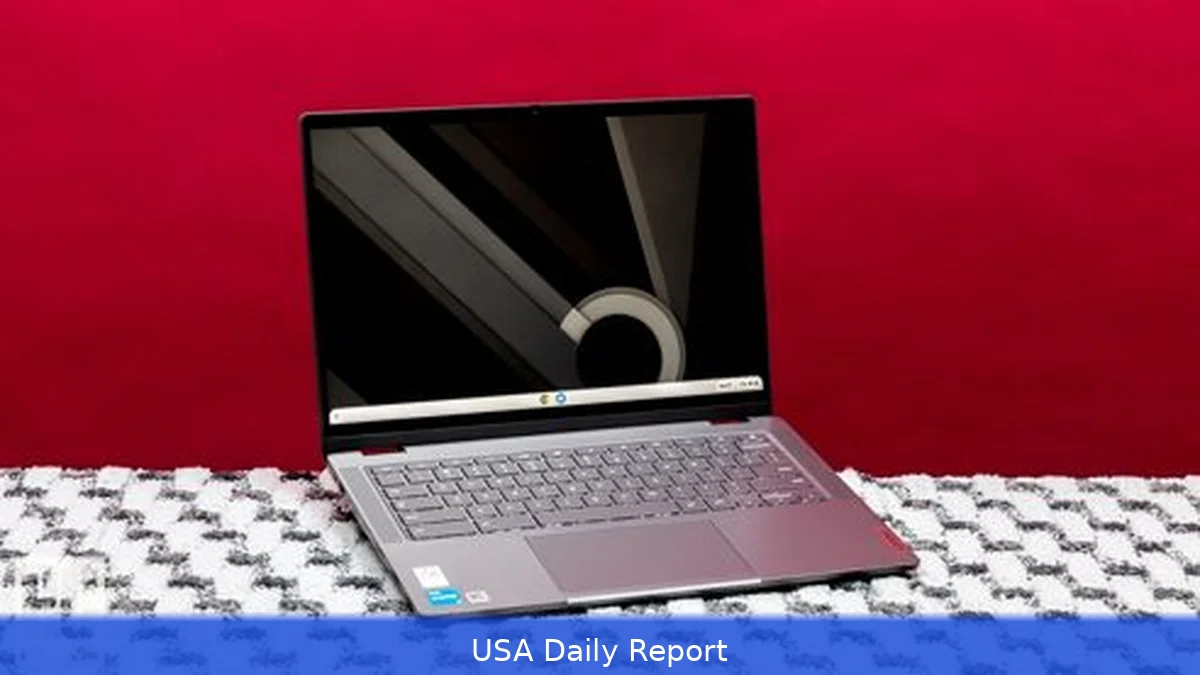
Want a reliable laptop that won't break the bank? In 2026, you don't have to settle for sluggish, plasticky junk. Chromebooks still dominate the value tier, but a few Windows models with Ryzen or Intel N-series chips offer solid multitasking for work and school. This guide lists the 10 best laptops under $500 in the U.S., who each model suits, and the real-world trade-offs — battery, display, keyboard, and upgrade paths. Use the quick summary to pick fast, then dive into the ranked reviews if you want the details.
Quick comparison (at a glance)
Top pick: Lenovo Chromebook Duet Gen 9 — compact, tablet-mode, great battery (starts at $279.99). Runner-up: Acer Chromebook CX15 — big 15.6" screen with 8GB RAM on budget (starts at $159.99). Best Windows value: Dell Inspiron 15 3000 — full Windows 11 experience with 11th/12th-gen Intel or Ryzen options (often $349–$399).
Shortlist: Lenovo IdeaPad 1 ($279.99), HP Stream 14 ($199.99), Acer Aspire 1 ($329.99), ASUS VivoBook 15 entry models ($449.99), Samsung Galaxy Chromebook Go ($249.99), Microsoft Surface Laptop SE (education — $249.99), Lenovo IdeaPad Flex 3 Chromebook ($219.99).
1. Lenovo Chromebook Duet Gen 9
Key features: 11-inch detachable 2-in-1, ChromeOS, ARM/efficient Intel chipset, about 9–11 hours battery life in mixed use. Compact and lightweight with a detachable keyboard.
Pros: True tablet flexibility, excellent battery life for the price, solid build for a budget device.
Cons: Small screen for long typing sessions, limited local storage (cloud-first model), not ideal for heavy Windows apps.
Who it's best for: Students and commuters who want a tablet-first device that doubles as a laptop for essays and light spreadsheets.
Pricing: Starts at $279.99 (base models in early 2026 street pricing).
2. Acer Chromebook CX15
Key features: 15.6-inch 1080p display option, up to 8GB RAM and 128GB eMMC, ChromeOS, long battery life for a large laptop.
Pros: Big, bright screen for streaming and multitasking; 8GB RAM config offers smoother Chrome multitasking than many cheap rivals.
Cons: Bulkier than 11–13" Chromebooks; keyboard and speakers are basic.
Who it's best for: Students or families who want a larger screen for video, basic photo editing, and classroom apps.
Pricing: Street prices often start around $159.99 for base configurations; 8GB/128GB models closer to $249.99.
3. Dell Inspiron 15 3000 (budget configs)
Key features: 15.6" 1080p options, Windows 11 Home S-mode or full Windows, Intel N-series or Ryzen 3 on budget SKUs, upgradeable storage on some builds.
Pros: Full Windows experience; better compatibility with legacy apps; decent port selection.
Cons: Battery life is variable; base LCDs can be dim; heavier than Chromebooks.
Who it's best for: Home users who need Windows apps — small businesses, students who rely on Windows-only software.
Pricing: Often on sale in 2026 for $349.99–$399.99 for configurations that fit under $500.
4. Lenovo IdeaPad 1 (14")
Key features: 14" 1080p option, AMD Athlon or Intel N-series CPUs on budget SKUs, 4–8GB RAM, eMMC or SSD options.
Pros: Good keyboard for the price; solid build for a sub-$300 laptop; light and portable.
Cons: Lower-end CPUs limit heavy multitasking; 4GB RAM variants feel tight — aim for 8GB.
Who it's best for: Students on a tight budget who still want a Windows machine for Microsoft Office and Zoom.
Pricing: Starts around $279.99 for base models; 8GB/128GB often $329.99.
5. HP Stream 14
Key features: 14" HD display, Intel N-series, 4GB RAM typical, lightweight chassis, cloud-connected Windows experience.

Pros: Extremely affordable; tiny and light; good for basic browsing and streaming.
Cons: Low storage and memory; not for multitasking; low-res display on many SKUs.
Who it's best for: Elementary students, secondary backup machines, or buyers who only need web apps and email.
Here's the thing — pricing: Often listed at $199.99 or less during promotions.
6. Acer Aspire 1
Key features: 14–15.6" 1080p options, Intel Celeron/N-series or entry Ryzen, 4–8GB RAM, thin design for the price.
Pros: 1080p screens on more SKUs; better value when on sale; quiet cooling.
Cons: Build is basic; storage often eMMC — plan on cloud storage or use SD cards.
Who it's best for: Home users who watch lots of streaming video and want a larger display without paying a premium.
Pricing: Typical street price around $329.99 for common configs.
7. ASUS VivoBook 15 (entry models)
Key features: 15.6" 1080p, thin-bezel designs, often 8GB RAM in higher-entry builds, full Windows 11.
Pros: Nice keyboard feel for the price; better industrial design than many rivals.
Cons: Some models push close to $500; storage and CPU vary widely.
Who it's best for: Buyers who want a full-size laptop with a decent typing surface and a bit more style.
Pricing: Entry models commonly priced around $429–$449.99.
8. Samsung Galaxy Chromebook Go
Key features: 14" or 15.6" ChromeOS options, fanless designs, lightweight, solid battery life.
Pros: Sleek Samsung design; good screens for a Chromebook; reliable performance for Chrome apps.
Cons: Upgrades limited; ChromeOS limits some desktop-class apps.
Who it's best for: Users who want a stylish Chromebook for streaming, web apps, and Google Workspace.
Pricing: Often starts at $249.99 for base SKUs.
9. Microsoft Surface Laptop SE (education model)
Key features: 11.6" display, Windows SE (education-oriented OS), replaceable parts, designed for classrooms.
Pros: Good keyboard, easy IT management for schools, repairable design compared with many Chromebooks.
Cons: Windows SE limits app choices; intended for schools more than general consumers.
Who it's best for: Schools and parents buying devices for K–8 students who need simple, manageable laptops.
Pricing: Education pricing around $249.99 to $329.99 depending on spec and program discounts.
10. Lenovo IdeaPad Flex 3 Chromebook
Key features: 2-in-1 ChromeOS, 11–13" touch screen options, fanless design, long battery life.
Pros: Flexible hinge, good value for a convertible, ideal for note-taking and media.
Cons: Small screens aren't ideal for heavy spreadsheets; ChromeOS limits some legacy software.
Who it's best for: Students who want a tablet-and-laptop hybrid for handwritten notes and classwork.
Pricing: Starts near $219.99 on common retail channels.
Comparison table
Below is a simple comparison you can scan quickly:
| Model | OS | Screen | RAM | Start Price (USD) |
|---|---|---|---|---|
| Lenovo Chromebook Duet Gen 9 | ChromeOS | 11" | 4–8GB | $279.99 |
| Acer Chromebook CX15 | ChromeOS | 15.6" | 8GB | $159.99 |
| Dell Inspiron 15 3000 | Windows 11 | 15.6" | 4–8GB | $349.99 |
| Lenovo IdeaPad 1 | Windows 11 | 14" | 4–8GB | $279.99 |
| HP Stream 14 | Windows 11 | 14" | 4GB | $199.99 |
| Acer Aspire 1 | Windows 11 | 14–15.6" | 4–8GB | $329.99 |
| ASUS VivoBook 15 | Windows 11 | 15.6" | 8GB | $429.99 |
| Samsung Galaxy Chromebook Go | ChromeOS | 14" | 4–8GB | $249.99 |
| Surface Laptop SE | Windows SE | 11.6" | 4–8GB | $249.99 |
| IdeaPad Flex 3 Chromebook | ChromeOS | 11–13" | 4–8GB | $219.99 |
Practical tips: buying, upgrades and what to avoid
Want the best value? Aim for a 1080p display and at least 8GB of RAM if you'll keep the laptop more than a year. But many solid Chromebooks run fine with 4GB because ChromeOS is lighter. If you need Windows software — Office, legacy apps, or engineering tools — pick a Windows model with 8GB RAM and an SSD, not eMMC. That makes a huge difference in boot times and everyday snappiness.
Look for sales around back-to-school (late July–August) and Black Friday/Cyber Monday. Many of the models listed drop $50–$150 during those windows. If a vendor lists only 4GB RAM, check whether the laptop has an accessible M.2 slot — adding an inexpensive 256GB SSD can make a budget machine much more usable.
Privacy and safety
Chromebooks are generally safer out of the box — automatic updates, sandboxed apps, and verified boot reduce malware risk. Still, use two-factor authentication on accounts, enable device encryption where available, and set strong passwords. For Windows machines, install the latest Windows 11 updates, enable Windows Defender, and avoid installing unknown apps from sketchy sites. If the laptop will be used by kids, enable parental controls and supervised accounts.
How we chose these models
This list focuses on real, widely available laptops that consistently retail under $500 in 2026. We favored models with 1080p displays or better battery life, reasonable RAM (8GB where possible), and established brand support — Lenovo, Acer, Dell, HP, ASUS, Samsung, and Microsoft. We excluded unknown OEMs and unbranded imports that offer low prices but poor warranty support. Value matters more than raw specs here — the goal is a dependable daily driver, not a powerful workstation.
Related Articles
- US Spring Cleaning Checklist 2026 — Room by Room Guide
- US Broadband Speed Guide 2026 — What Speed Do You Actually Need
Final verdict: For most people looking for a dependable laptop under $500 in 2026, pick a Chromebook if you live in the Google ecosystem and want long battery life and simplicity. Go Windows if you need legacy apps or offline software — look for 8GB RAM and an SSD. The Lenovo Chromebook Duet Gen 9 is the best overall pick for mobility and battery life. The Dell Inspiron 15 3000 or Lenovo IdeaPad 1 are the best Windows compromises. Wait for seasonal sales — you can often get a noticeably better machine by spending a little patience on timing.
This article was created with AI assistance.


