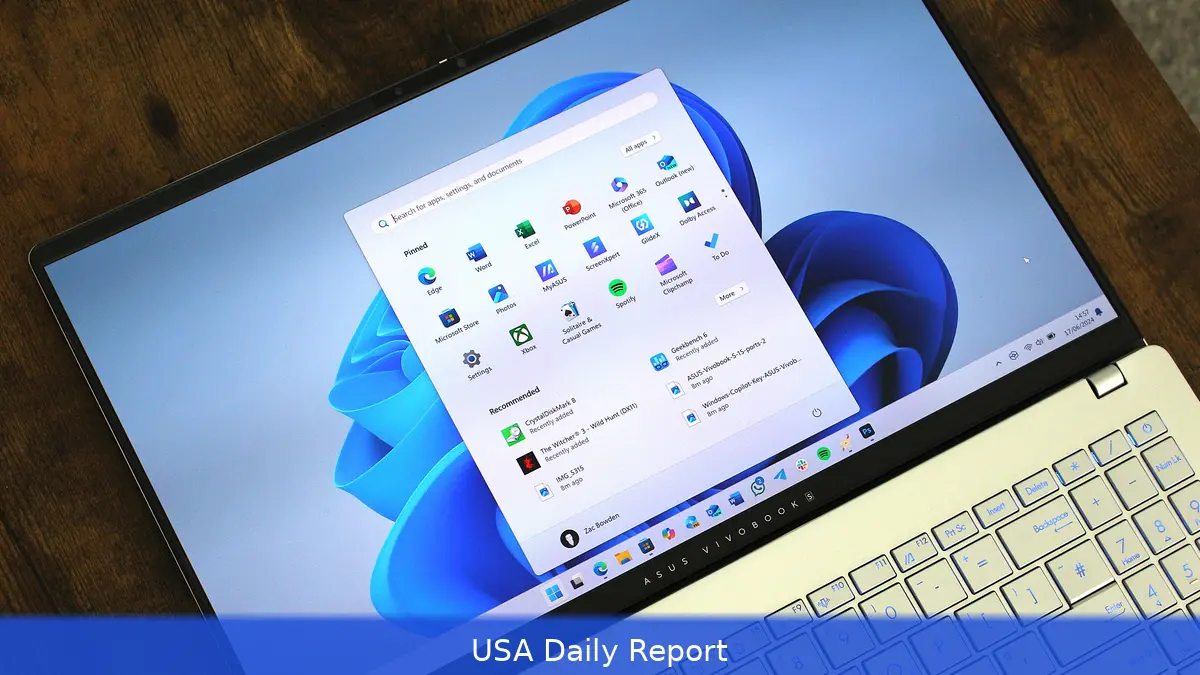
Microsoft plans a major update for Windows 11 in 2026. The company announced 18 features to address long-standing problems and enhance user experience.
A Fresh Start for the Taskbar
One of the biggest complaints since Windows 11 launched was the taskbar’s lack of flexibility. The company is finally bringing back the ability to move the taskbar to different edges of the screen. Users will soon reposition it to the top, left, or right side directly through a right-click menu. This change caters especially to those using vertical monitors or multi-display setups, where taskbar placement can make a big difference in workflow.
Microsoft isn’t stopping with just moving the taskbar. It’s also introducing a compact mode with several size options, allowing smaller icons and a tidier interface. The approach should make Windows 11 more user-friendly on smaller screens and help users regain control over their desktop real estate.
Speeding Up the Start Menu
The Start menu is getting a fundamental rework. Microsoft is swapping out the web-based React components currently used to build the Start menu for native WinUI elements. This is a big shift. The current design, reliant on web layers, often feels sluggish. By moving to native code, Microsoft aims to slash delays and make the Start menu snappier — closer to the responsiveness users remember from earlier Windows versions.
Right now, alongside this, the often-criticized Recommendations section will become more customizable. Users will have the option to disable or better control what appears there, cutting down on unwanted suggestions. The Windows Search feature will also see improvements, prioritizing installed apps and system elements over irrelevant web results. This means people will find their apps faster and get more relevant search results.
Scaling Back Copilot
Microsoft’s AI assistant, Copilot, will see its role dialed back and become optional. After initial excitement, the company seems to be responding to user feedback that the assistant felt intrusive or unnecessary for many. Making Copilot optional gives users more choice over how they interact with their OS, avoiding the risk of overwhelming people with unwanted AI features.
System-Wide Improvements Targeting Stability and Performance
Beyond UI tweaks, Microsoft is focusing on making Windows 11 faster and more reliable under load. The update will address performance issues that users have reported, especially on diverse hardware setups.
There’s a clear push to reduce crashes and freezes, which have been a sore point for many users since the OS debuted.
Windows Update is also on the chopping block for improvement. Microsoft plans to make updates less disruptive and more predictable, which could be a huge relief for businesses and individual users alike. Unscheduled restarts and lengthy update times have frustrated many, especially in professional environments where downtime costs money.
Developer Tools and First-Party Apps Get Attention
Developers building for Windows 11 will see new tooling designed to make app creation smoother and more efficient. Microsoft’s engineering teams are working to modernize the developer experience, which should lead to more polished and better-performing apps. That could have a knock-on effect for the ecosystem, encouraging more innovation and higher quality software on Windows.
First-party apps, such as Mail and Calendar, are also getting redesigned with performance and consistency in mind. The move aims to unify the look and feel across Windows 11, addressing complaints that built-in apps often felt like afterthoughts.
Why These Changes Matter for US Users and Businesses
Windows remains the dominant desktop operating system in the United States, powering millions of workplaces, schools, and homes. The improvements Microsoft is rolling out in 2026 could have a sizable impact on productivity and user satisfaction nationwide.
For businesses, smoother updates and better stability mean less downtime and fewer IT headaches. This ability to customize the taskbar and control search results can help employees work faster and with fewer distractions. That’s a real economic benefit when multiplied across large organizations.
Consumers will likely appreciate the return of customization options, like moving the taskbar and compact modes, which were staples in previous Windows versions. Speedier menus and smarter search could make everyday tasks less frustrating.
And scaling back intrusive AI features means users won’t feel forced into uncomfortable new workflows.
Broader Implications for Microsoft’s Strategy
Microsoft’s teams are clearly focused on fixing issues instead of adding flashy features. It’s a reset that recognizes Windows 11’s rocky start and aims to restore trust among its user base.
The company’s willingness to engage directly with users on social platforms like X (formerly Twitter) shows a more transparent and responsive approach to feedback. That could help Microsoft avoid repeating past mistakes.
With improvements to developer tools and first-party apps, Microsoft is also trying to build a healthier Windows ecosystem. That’s key as the company faces mounting competition from other platforms and tries to keep Windows relevant for years to come.
We’ll see how these updates roll out in 2026 and if they make Windows 11 faster and more reliable. But that matters not just to everyday users but to the millions of businesses that rely on Windows to keep their operations running.
Related Articles
- U.S. Gas Prices Surge Past $4 Amid Middle East Conflict, Squeezing American Wallets
- Iran and US Halt Hostilities Amid Ceasefire Claims: What’s Really at Stake?
- US-Iran Ceasefire Sends Oil Prices Tumbling, But Fuel Costs for Americans May Not Drop Soon
Microsoft plans to roll out these 18 new Windows 11 features throughout 2026, with some already appearing in early insider builds. The company’s clear goal: make Windows faster, more customizable, and less frustrating. For US users and businesses, the stakes are high — a smoother Windows could mean better productivity and fewer tech headaches in the years ahead.


